What Is a Template for a CMS?
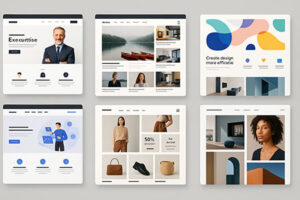
When you create a website with a CMS like WordPress, Joomla or Drupal, one of the first choices you make is which template (also called theme) to use.
A template is a ready-made design that defines the overall look and layout of your site:
colors, fonts, page structure, header and footer, blog layout and many other visual elements.
By installing a template you do not need to design everything from zero.
You start from a pre-built layout and then customize texts, images and sections to fit your project.
This is why templates are so widely used, especially by beginners and by anyone who wants to launch a new website quickly.
Main Advantages of Using a Template
Using a CMS template gives you several important benefits, both in terms of design and productivity:
- Simplicity: you can build a professional-looking site without being a designer or a developer.
- Ready-made layouts: home page, blog, contact page and other key sections are already structured for you.
- Good aesthetics from day one: most modern templates are responsive, visually clean and optimized for mobile devices.
- Time saving: you skip the design phase and focus directly on content, offers and marketing.
- Built-in features: many templates include sliders, galleries, call-to-action blocks and other useful components.
Limitations and Disadvantages of Templates
Even if templates are very convenient, it is important to be aware of their limits so you can make an informed decision:
- Similar websites: popular templates are used by thousands of sites, so your design can look very similar to others.
- Homogeneous layouts: sections often follow the same structure (hero, three columns, testimonials, etc.) and this can reduce originality.
- Limited innovation: if you rely only on what the template offers, you might stop experimenting with new ideas or unique layouts.
- Extra elements you don’t need: some templates include many options and scripts that you may never use, adding unnecessary weight to the site.
- Dependence on updates: design and compatibility with plugins depend on how often the template developer releases updates.
For these reasons, the best strategy is usually to start from a well-made template and then customize it
as much as possible: adjust colors, fonts, images, sections and call-to-action areas so your website still feels unique
and aligned with your brand.
Where to Find Quality Templates for Your CMS
There are many marketplaces and directories where you can browse professional templates for WordPress, Joomla and Drupal.
In the next section I will include a list of recommended sites where you can:
- preview live demos of different templates,
- filter by category (blog, ecommerce, portfolio, business, etc.),
- check ratings, reviews and technical details before downloading or purchasing.
| CMS | Ease of Use | Speed | Flexibility | Best For |
|---|---|---|---|---|
| WordPress | ★★★★★ | ★★★☆☆ | ★★★☆☆ | Blogs, landing pages, shops, beginners |
| Joomla | ★★★☆☆ | ★★★★★ | ★★★★☆ | Business sites, structured content, speed |
| Drupal | ★★☆☆☆ | ★★★★☆ | ★★★★★ | Custom projects, enterprise websites |
Use these resources to explore plenty of ideas, compare different designs and choose the template that best matches
your project, your audience and your long-term online goals.